Closet
Everything you own, beautifully organized.
Plinth fills in category, color and season as you shoot. Check a whole session at once, then find any piece in seconds.
Coming soon to iPhone and Android.
Tags without the typing
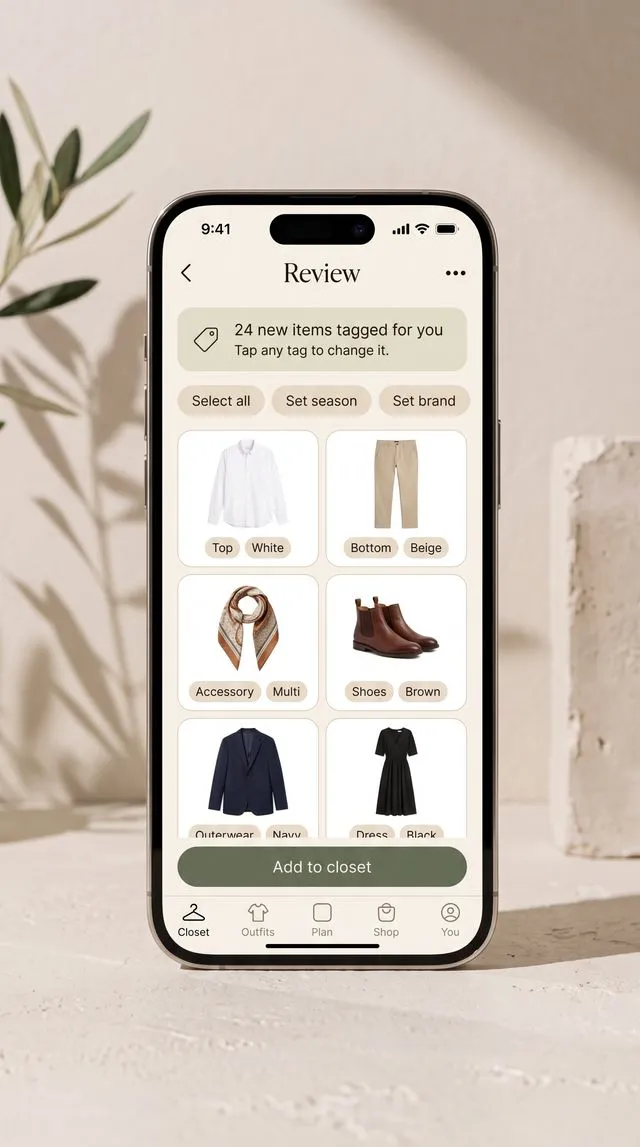
Every piece you capture is tagged in the background with its category, color in real shade names, pattern and season. When Plinth isn’t sure, it leaves the field blank instead of guessing, so you only fix what’s actually wrong.
Fix a whole session at once
After a capture session, your new pieces wait in one review grid. Select them all and set the season, brand or category in one go, then add them to your closet.
Find anything
- See everything you own in one grid, from basics to the back of the drawer.
- Filter and search by any detail: category, color, season, brand.
- Front, back and details. Every piece can have several photos.
- Nothing required. Add a piece in one shot and fill in more whenever you like.
Questions
What does Plinth tag automatically?
Category and type, color, pattern and season. You can add brand, size, price and notes whenever you like.
What if a tag is wrong?
Tap it to change it. When Plinth isn’t confident, it leaves a field blank rather than guess.
Are any fields required?
No. Every detail is optional, so you can add a piece in one shot and fill in more later.

Your whole closet in minutes.
Coming soon to iPhone and Android.